Showing posts with label lg. Show all posts
Showing posts with label lg. Show all posts
Sunday, February 15, 2015
LG touch screen watch Phone Lands In India


By Arnab Ghosh, Gaea News Network
NEW DELHI, INDIA (GaeaTimes.com)- It is not surprising to see mobile phones that perform various other tasks than making or receiving calls nowadays. There are plenty of models in the market that double up as music player and camera. However, it is not everyday that one comes across a touch screen phone that is built in a watch form factor. That is what the LG Watch phone is all about. It looks like a designer watch but inside there is a sophisticated phone brimming with cutting edge features. It weighs only 84 gram and hence one can wear it without straining his wrist. However, this is quite expensive at 40,000 INR and only the hardcore gadget freaks with deep pockets will opt for it.
The LG Watch phone has been launched in India and it is available in LG flagship outlets across the country. The phone uses a capacitive type touch screen resulting in excellent feedback and it displays 256,000 colors. The resolution at 128 x 160 pixels is not much but then you have to consider its unique form factor. The UI is flash based and it is very responsive.
The LG Watch Phone is water resistant which means one can use it in rain without any fear of damaging it. Its music playback capacity is also praiseworthy and there is an equalizer to customize the music quality as per the taste of the uses. The VGA camera is capable of making video calls. There are lots of connectivity options offered by this model. Apart from the GPRS and Edge, there is HSDPA for high spedhttp://gadgetophilia.com

Thursday, February 5, 2015
How to remove pattern lock and hard reset your LG P700 P705 L7
Hi there,
If you forgot your password and you are unable to unlock your phone, well you came to the right place. If you already followed all tutorial in the internet then maybe this is your last resort. I will show you how to remove password, pattern lock and this can even fix Hang in logo issue on your LG P700 / P705 or also known L7.
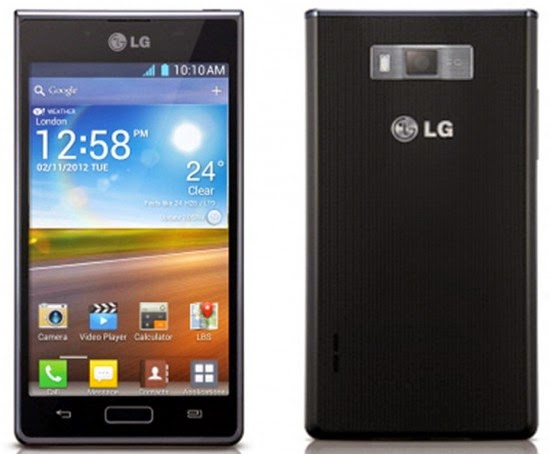
This procedure will work in Linux / Windows, sorry Mac users I dont know the command in OSX. Anyways I will explain first the Linux ways.
You can use this in any Debian distro such as Ubuntu, Kubuntu, Lubuntu, Crunchbang etc etc.. Okay here it is.
In your Linux system, install first the android-tools-adb
To install it go to your Terminal and then just type in;
sudo apt-get install android-tools-adb
Okay next we are going to wipe your phone now. Just follow the instructions I will just keep it simple :)
1. Press and Hold Volume UP and Volume DOWN, then insert USB Cable without releasing the buttons. And then Also press the Home Button. Just hold the three buttons until you see the recovery mode in your LG L7. Something like in the picture. Im sorry for the picture because I dont have the phone in my hand when I am writing this article. But for your reference something like that.

2. Launch Terminal and execute this command
sudo adb reboot recovery
press enter and then enter your password
3. Your device will reboot and then it will wipe the whole device.
Windows Way
First you need to have the following files:
1. Driver –----- >> L7 Driver
2. Adb tools –-->> adb tools
After downloading the files extract and install the l7 driver, after installing the driver go to adb-fastboot-win folder

And look for adb recovery.bat and run it.
And it will look something like this

Thats it you have successfully wipe your phone. And ready to setup and use it again.
I hope this tutorial help you. If you find any wrong procedure please drop us a comment.
Subscribe to:
Posts (Atom)